API Debugging
Debug Phoenix Search requests from browser request to HyperDX trace and Elasticsearch query
API Debugging
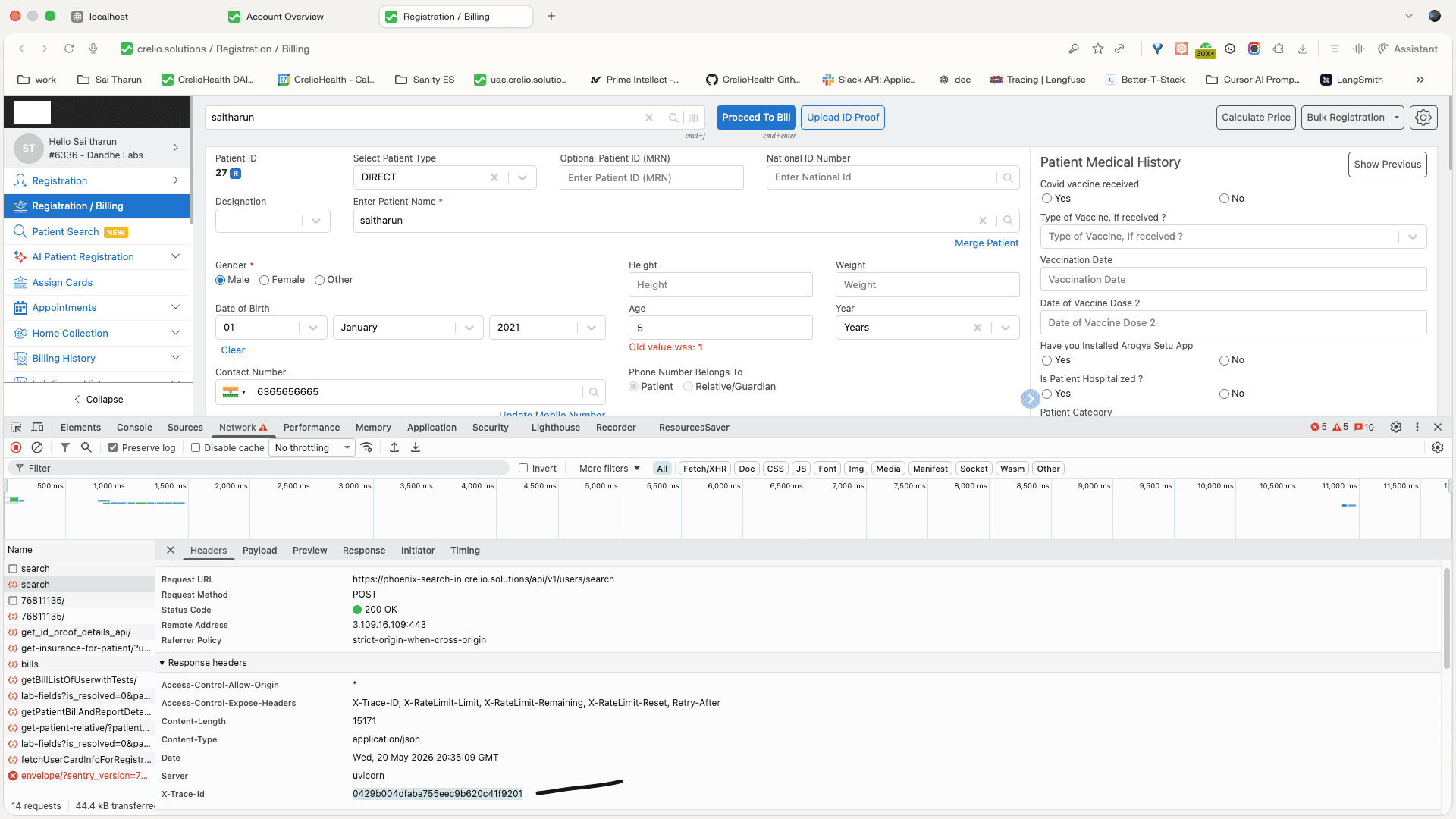
Phoenix Search is easiest to debug from the request trace. Start at the browser Network tab, copy the X-Trace-Id, open that trace in HyperDX, and inspect the API, auth/scope, and Elasticsearch spans for the same request.
Request-to-Trace Flow
| Step | Where to Check | What to Look For |
|---|---|---|
| 1 | Browser Network tab | POST https://phoenix-search-in.crelio.solutions/api/v1/users/search returns 200 or the actual failing status |
| 2 | Response headers | X-Trace-Id is present and can be copied into HyperDX |
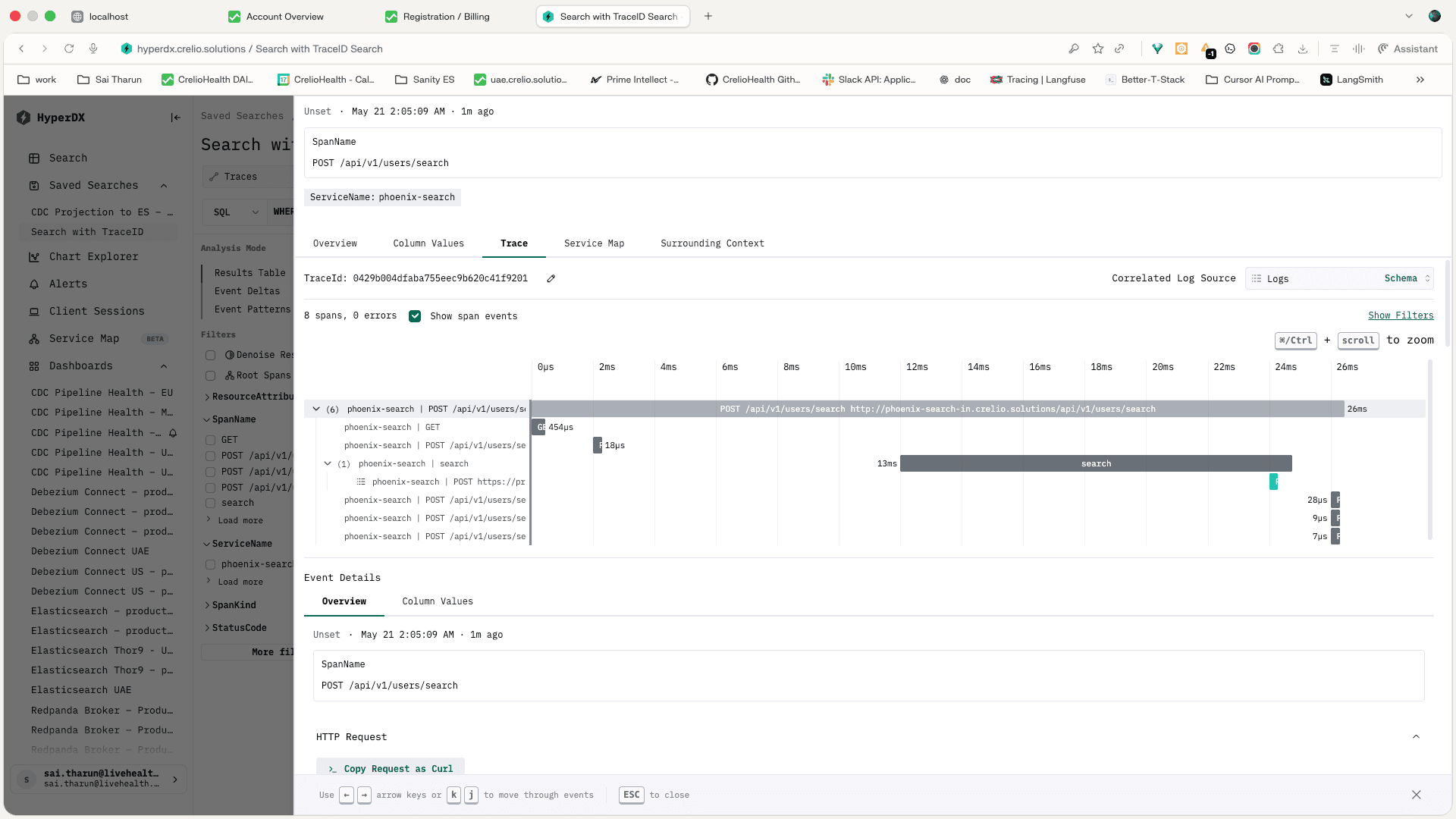
| 3 | HyperDX trace search | Trace opens for POST /api/v1/users/search |
| 4 | Trace timeline | API route, child spans, duration, and error count |
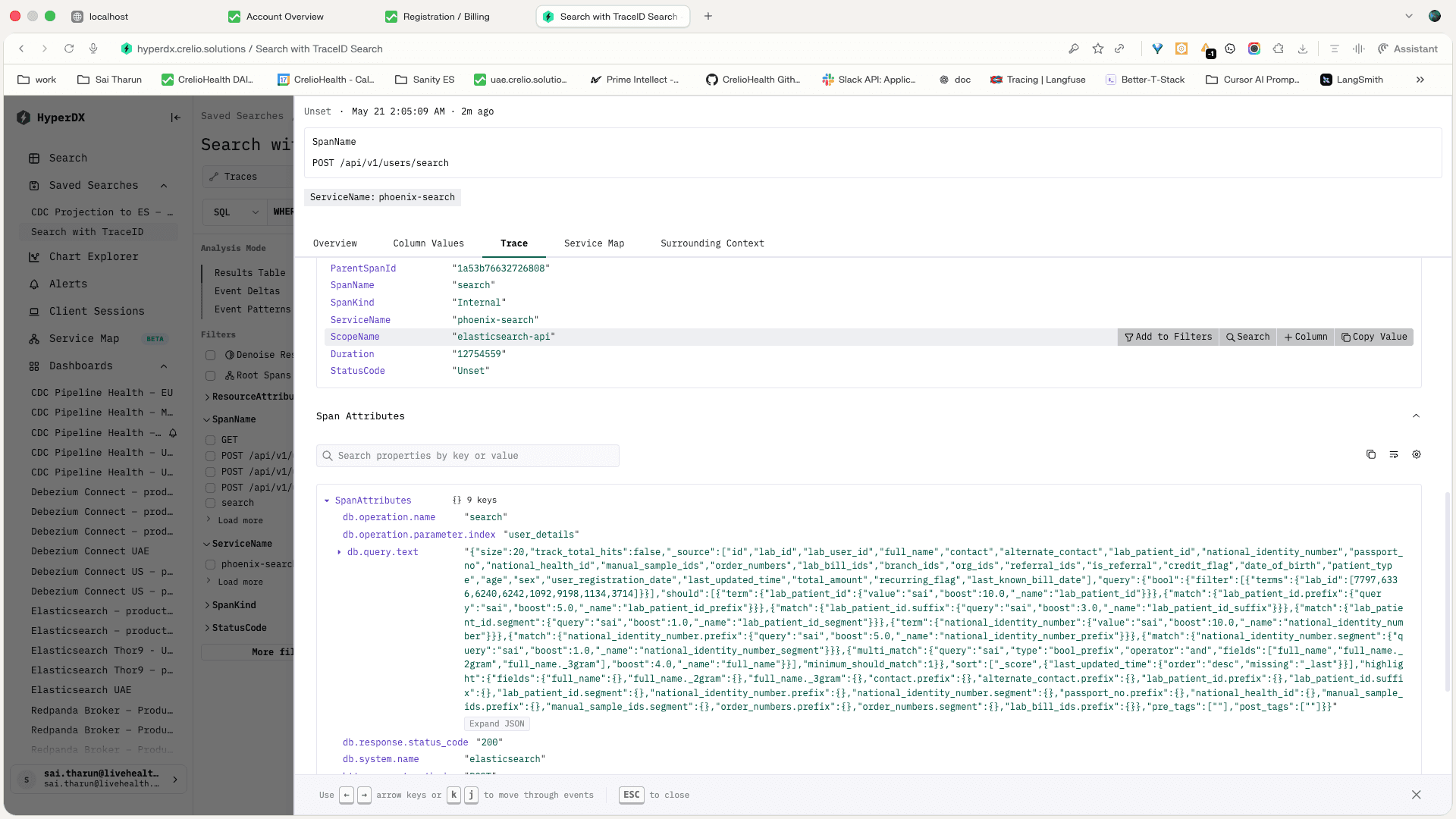
| 5 | Elasticsearch span | db.system.name=elasticsearch, db.operation.name=search, db.operation.parameter.index=user_details, db.query.text, and db.response.status_code |
| 6 | Phoenix Search attributes | search.lab_id, search.search_key, search.query_shape, search.routing, search.hit_count, and search.zero_results when emitted on the search span |
This gives one debugging line from frontend request to backend search behavior. For a slow search, the trace shows whether time is spent in Phoenix Search code, MySQL scope/session work, Elasticsearch, or runtime/network overhead. For an empty search, the ES span and search attributes show the query shape and target index used by the real request.
HyperDX Trace Timeline
Open the trace ID from the browser response in HyperDX. The trace timeline should show POST /api/v1/users/search, child spans, total duration, and error count.
| Trace Signal | Healthy Read |
|---|---|
| Route | POST /api/v1/users/search |
| Error count | 0 for a successful search |
| Child spans | API span plus dependency spans for search work |
| Duration | Compare route duration with ES span duration to understand non-ES overhead |
| Trace ID | Same value copied from X-Trace-Id |
Elasticsearch Query Span
Open the Elasticsearch child span when the issue is search latency, empty results, wrong bucket ordering, or suspected query-shape behavior.
| ES Span Field | Why It Matters |
|---|---|
db.operation.name | Confirms this span is an Elasticsearch search |
db.operation.parameter.index | Confirms the request hit user_details |
db.query.text | Shows the generated ES query body for the real user input |
db.response.status_code | Separates ES failures from API-level failures |
| Span duration | Shows raw ES time for the request |
| Trace correlation | Phoenix Search also sends the active trace ID as Elasticsearch opaque_id |
Debugging Checklist
| Symptom | First Check | Next Check |
|---|---|---|
| Search is slow | Compare API trace duration with ES span duration | If ES is fast, inspect auth/session, scope lookup, response shaping, and frontend network time |
| Search returns empty | Inspect search.search_key, search.query_shape, search.routing, and db.query.text | Verify lab scope and Elasticsearch routing by lab_id |
Browser gets 401 | Check ephemeral token request and Phoenix Search auth span/logs | Confirm token TTL, session_id, lab_id, and Redis session lookup |
Browser gets 5xx | Use X-Trace-Id to inspect the failed trace | Check search.app.errors.total, Sentry, and service logs for the same trace ID |
| Data looks stale | Check search.data.age and search.cdc.healthy | Then follow the CDC runbook in Operations |