Billing with Insurance
Describes how insurance price lists are applied during patient billing and how multiple insurance providers are handled.
Overview
Once insurance providers, insurance groups, and insurance price lists are configured, the billing system automatically applies the appropriate pricing model when a patient with insurance is billed.
The workflow begins during patient registration and continues throughout the billing process.
Patient Registration and Insurance Mapping
During patient registration or profile updates, the following insurance details can be configured:
- Insurance Provider
- Insurance Group
- Member Policy Number
- Group Number
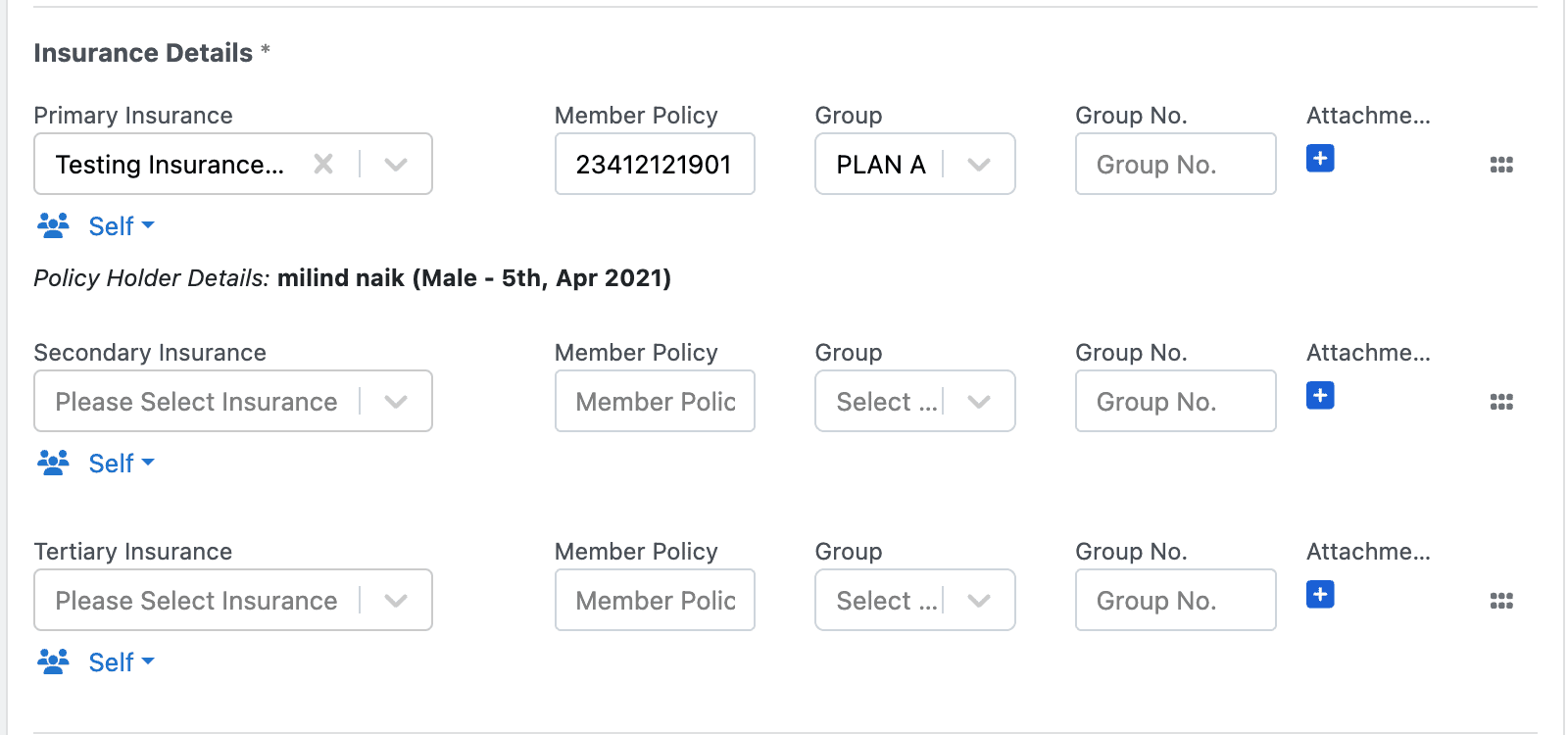
This information determines which insurance price list will be applied during billing.
Multiple Insurance Support
The system allows a patient to have multiple insurance providers.
A patient can have:
- Primary Insurance
- Secondary Insurance
- Tertiary Insurance
Each insurance can be associated with a different group and policy configuration.
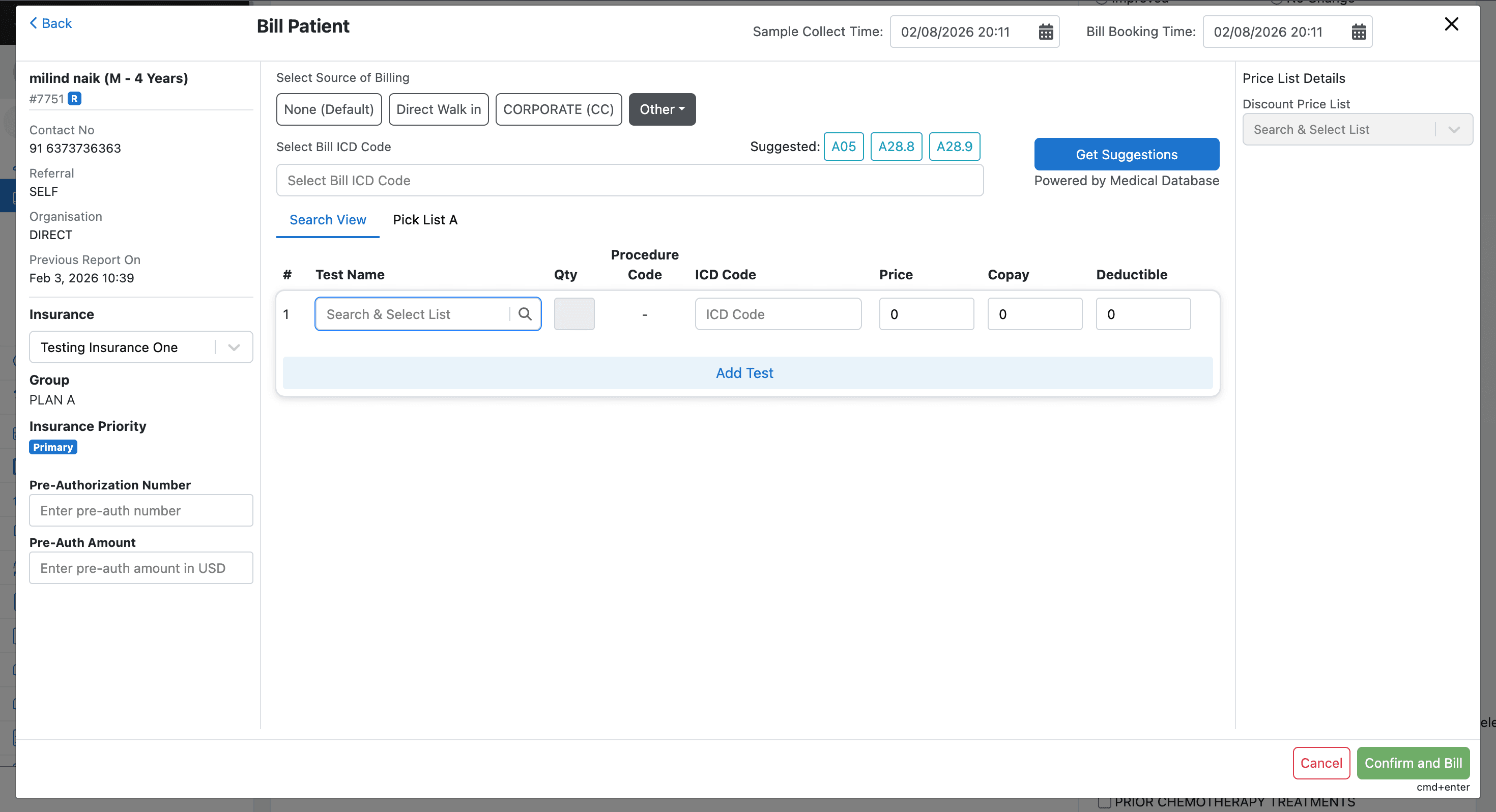
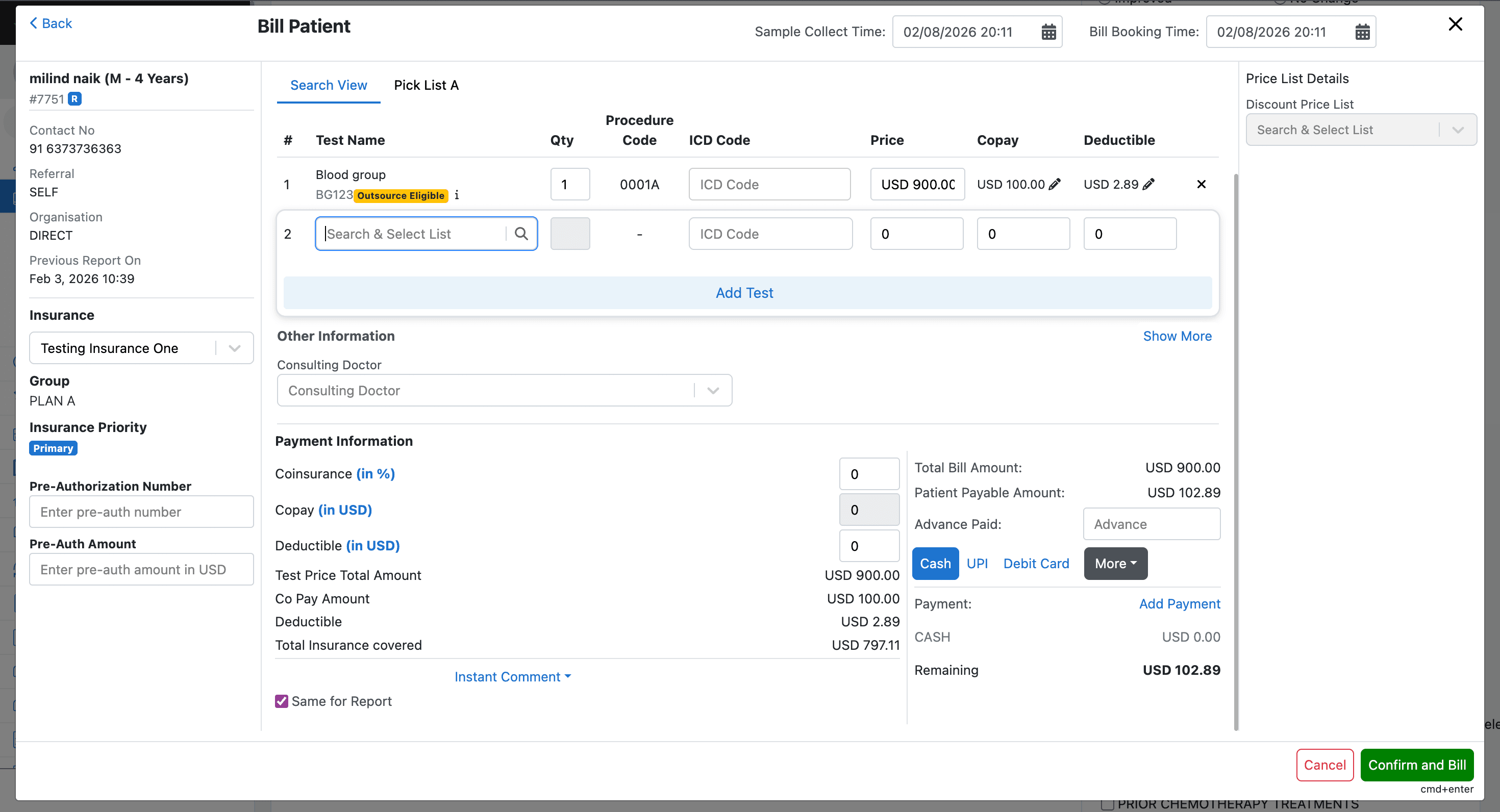
When billing is initiated:
- The primary insurance price list is automatically applied
- Billing users can switch between available insurance options
- The system dynamically recalculates pricing based on the selected insurance
Insurance Groups and Price Lists
Explains how insurance groups and price lists are configured and how they control insurance-based pricing during billing.
Calculation terminologies
Explains how patient financial responsibility is calculated through copay, deductible, and co-insurance values during insurance billing.