Claims Dashboard
Explains the frontend implementation and behavior of the Claims Dashboard used to manage insurance claims.
Overview
The Claims Dashboard is the primary user interface for managing insurance claims.
It allows users to:
- View bills eligible for claim submission
- Submit claims
- Track claim processing statuses
- Resubmit rejected claims
- Submit remaining tests for partially claimed bills
The dashboard is accessible from:
Insurance Management → Claims List
The interface is divided into two major sections:
Pending Claims
Submitted Claims
Pending Claims Section
The Pending Claims section displays bills that are eligible for claim creation but have not yet been submitted.
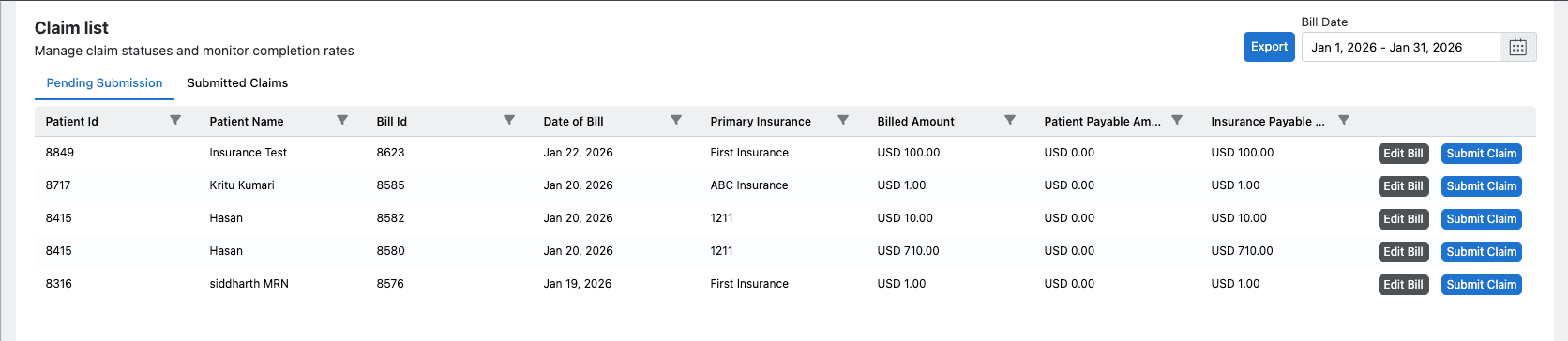
A bill appears in this section when the following conditions are satisfied:
- Bill source is Insurance
- Bill is finalized
- No claim entry exists in the BillClaimRelation table
Actions Available
From this section, users can:
- Select a bill
- Choose tests to include in the claim
- Create a full claim for the entire bill
- Create a partial/split claim by selecting specific tests
- Initiate claim submission
- View Bill Details
- Update Bill
Submitted Claims Section
The Submitted Claims section displays claims that have already been created.
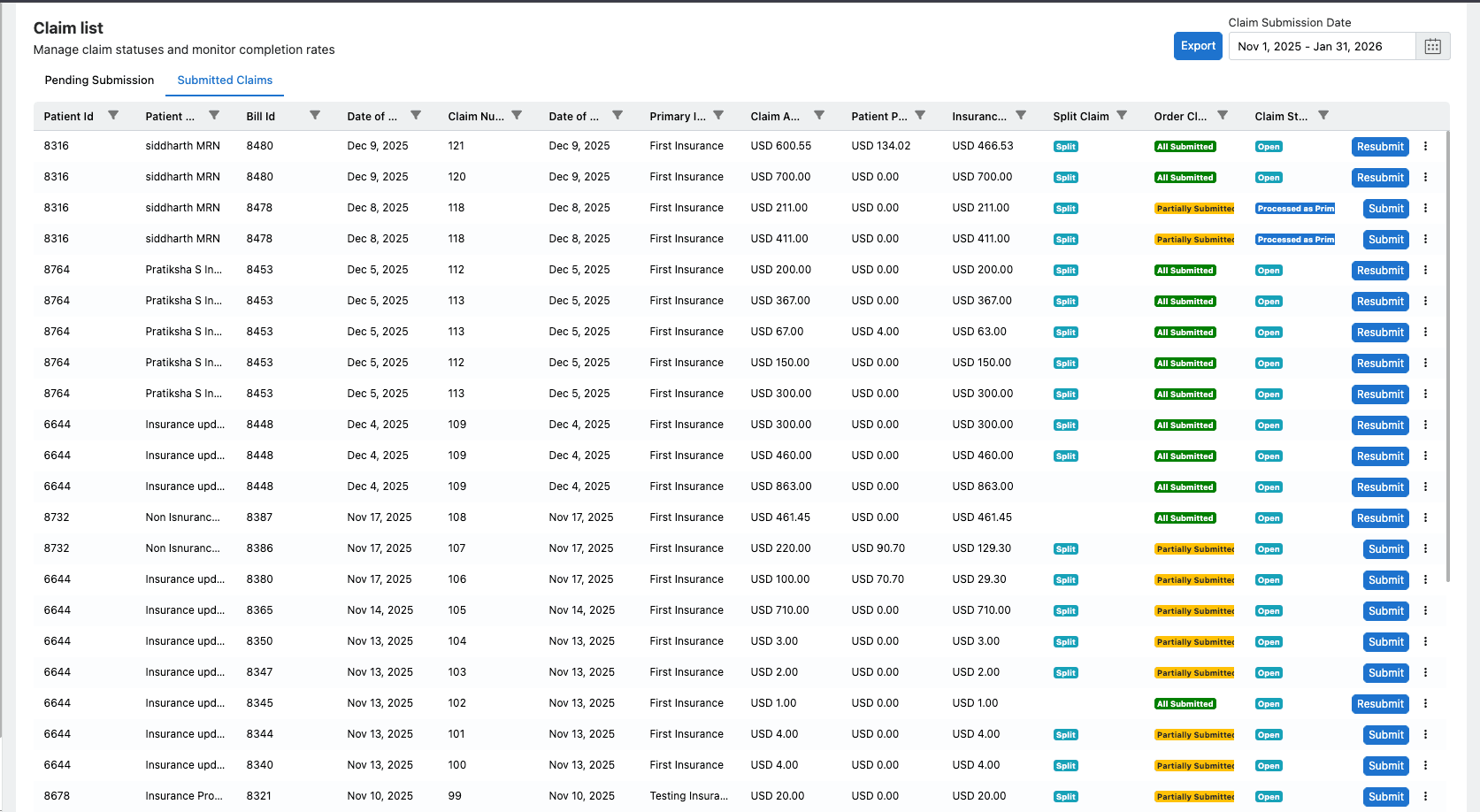
It includes:
- Successfully submitted active claims
- Claims in various processing statuses (Submitted, Approved, Rejected, etc.)
- Partially submitted claims where some tests are still pending
- Claims eligible for resubmission
From this section, users can:
- Track the current status of submitted claims
- View claim details and history
- Submit remaining tests for partially pending claims
- Resubmit rejected or partially approved claims