Claim Submission Modal
Explains the UI workflow and frontend logic used when submitting or resubmitting insurance claims.
Overview
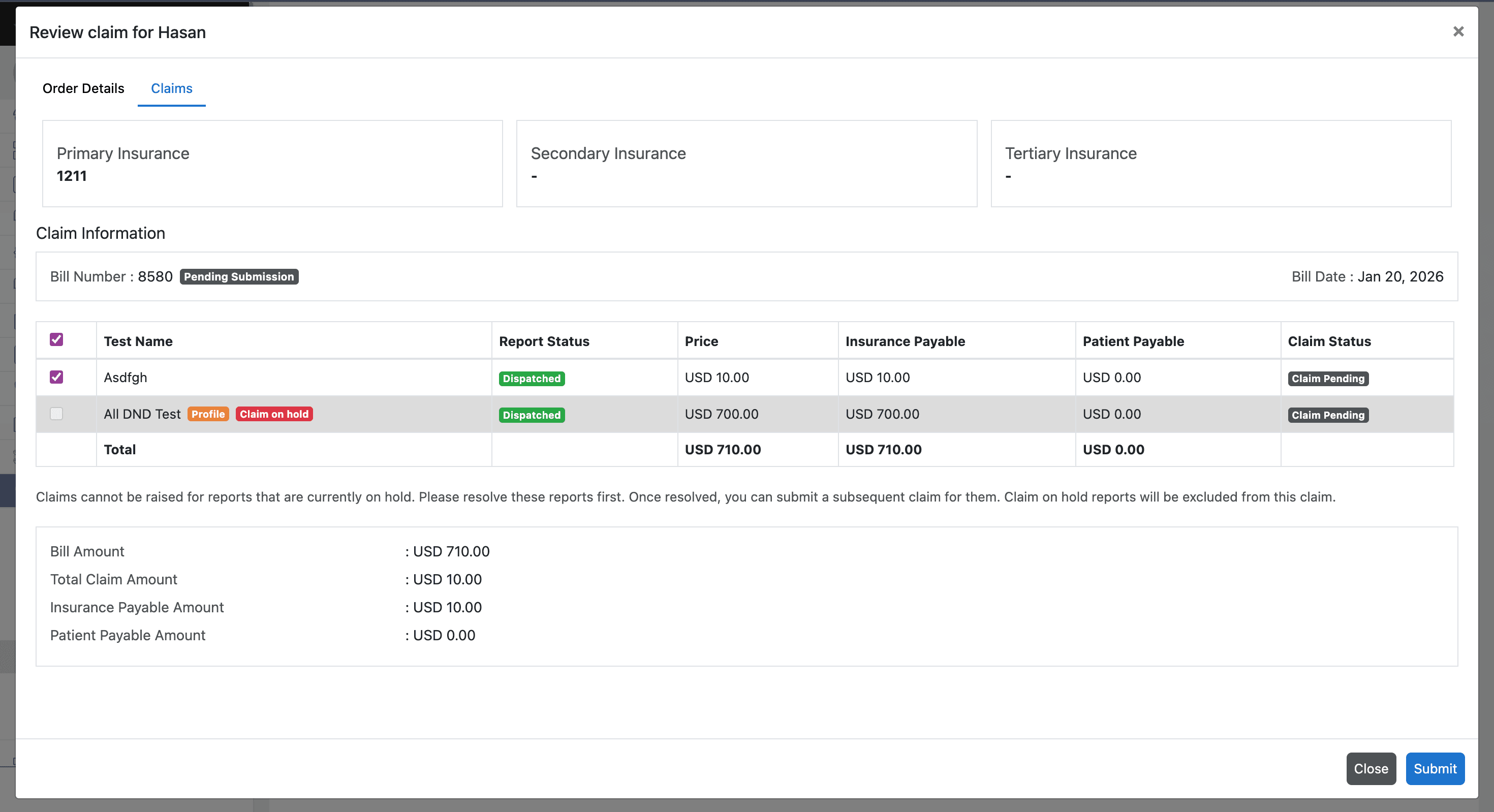
The Claim Submission Modal is used when a user initiates a claim submission or resubmission.
The modal dynamically loads the latest billing and insurance information before allowing the user to submit the claim.
This ensures that claim submissions always use the most recent data.
Modal Initialization
When the modal is opened, the frontend triggers an API request to fetch updated data.
The API retrieves:
- Bill information
- Patient information
- Insurance details
- Test list
- Test pricing
- Copay and deductible values
This data is used to populate the modal UI.
Test Selection
The modal allows users to select which tests should be included in the claim.
Supported claim types include:
Full Claim
Includes all bill tests.
Partial Claim
Includes only selected tests.
Validation
The frontend performs several validations before allowing claim submission.
These include:
- Ensuring at least one test is selected
- Preventing selection of tests marked as Claim On Hold
- Validating insurance details
Claim Submission
This allows users to:
- Create and submit new claims
- Submit partially pending claims
- Resubmit previously rejected or partially approved claims
When the user confirms submission:
- Selected tests are collected.
- Claim payload is generated.
- Payload is sent to the claim submission API.
The backend then processes the request and creates the claim records.