Overview
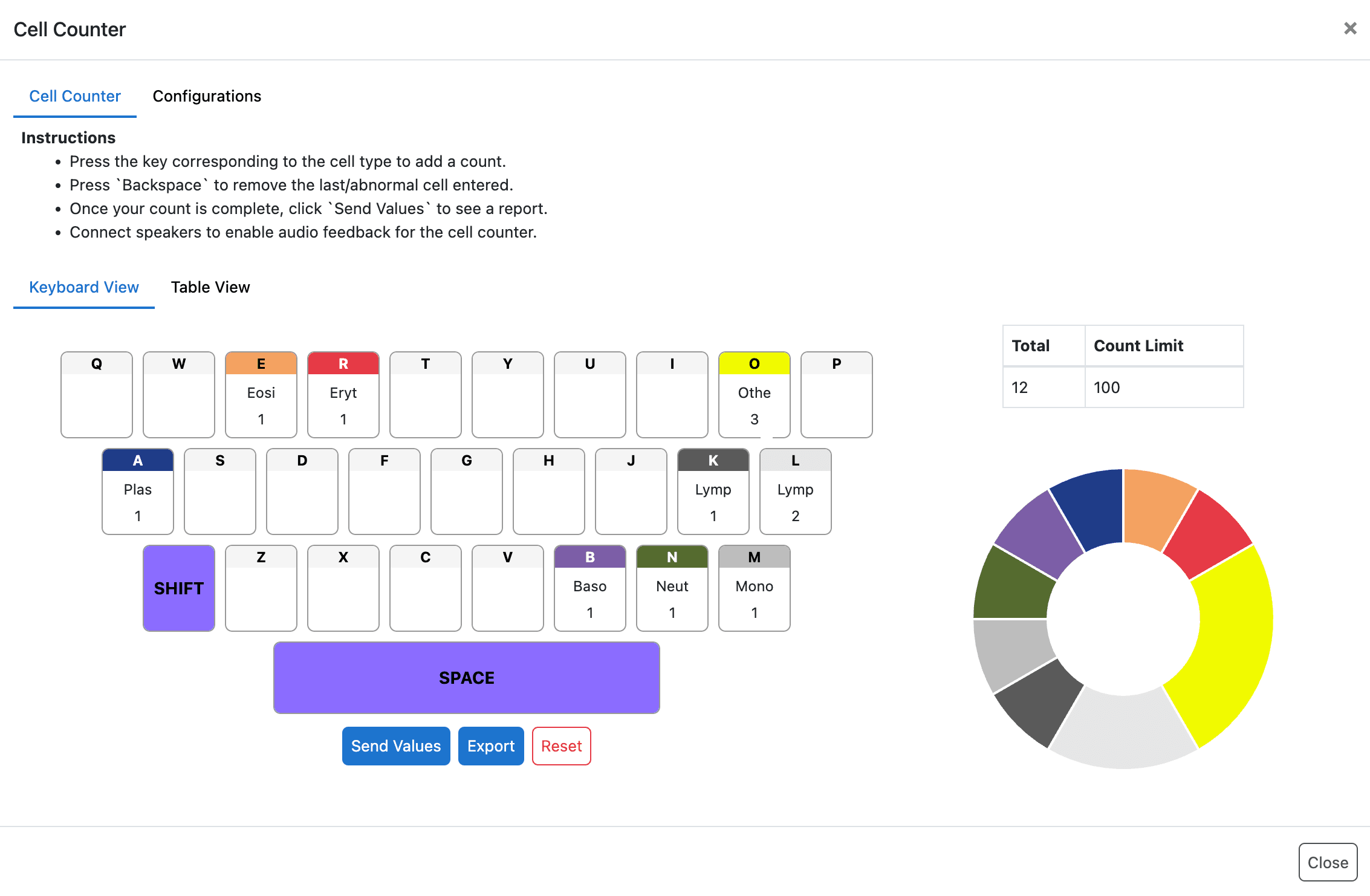
The Cell Counter feature in CrelioLIMS enables lab professionals to quickly and accurately count different cell types during report entry.
Related Documentation:
Prerequisites
The feature requires cell_counter_enabled flag to be True for a test.
What is it for?
It helps eliminate manual counting errors, speeds up the counting process under the microscope, and directly maps counted values to the appropriate test parameters on the report entry page.
Physical or digital cell counters help laboratory professionals quickly and accurately count different cell types while examining samples under a microscope. These tools reduce manual counting errors, speed up the counting process, and simplify recording results for diagnostic reporting.
We designed the interface similar to Cell Counter Tool.
Key Benefits
- Faster cell counting workflow
- Reduced manual calculation errors
- Seamless integration with report entry
- Improved accuracy and efficiency for lab professionals
Supported Capabilities
The Cell Counter feature includes support for:
-
Test-level configuration
Configure cell counting behavior specific to individual tests. -
Keyboard-based counting
Count cells efficiently using keyboard shortcuts. -
Rule handling
Apply rules such as count limits, abnormal value logic, and options for undo or reset. -
Direct data flow
Automatically map counted values to the relevant report parameters. -
Export capability
Export counted data for further analysis or record keeping.